Configuring a Router for VPN Security: A Step-by-Step Guide
Protecting your home network with a Virtual Private Network (VPN) has become increasingly important in today's digital age. A VPN helps safeguard your online activities, preventing hackers and third-party entities from accessing your sensitive information. In this article, we will discuss configuring a router for VPN security, ensuring your entire network is protected without the need for individual VPN configurations on each device.
Understanding VPN and Router Compatibility
Not all routers are VPN-ready, so it's essential to check your router's compatibility before proceeding. Modern routers often come with built-in VPN support, making it easier to protect all devices connected to your home network. However, some older routers may require additional hardware or software configurations to support VPN functionality.
Why Configure Your Router for VPN Security?
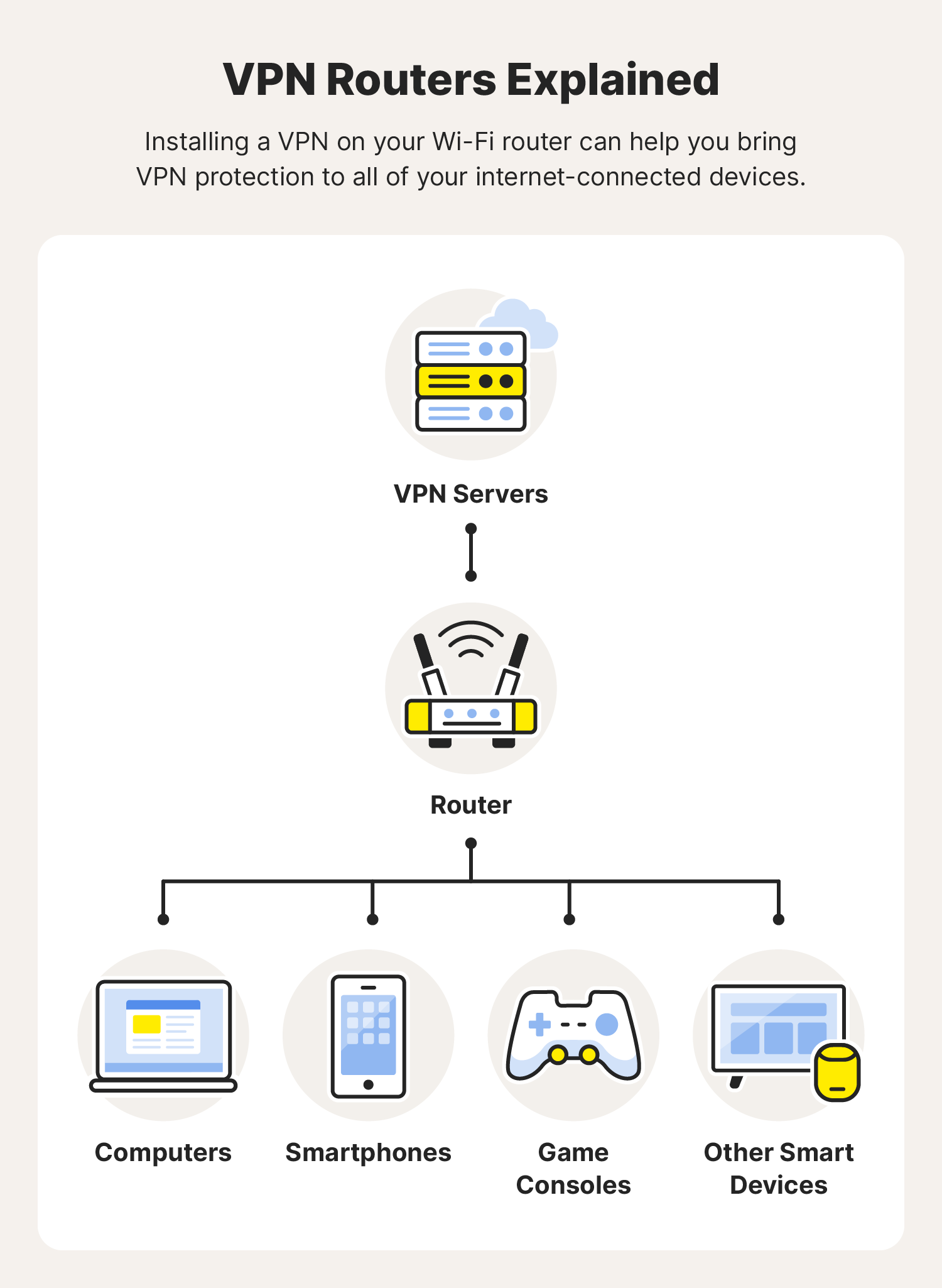
- Automatic Encryption: Configuring your router for VPN security routes all internet traffic through an encrypted tunnel, protecting all devices connected to your network.
- Whole-Network Protection: By encrypting all traffic, you ensure that every device, including smart TVs, gaming consoles, and smartphones, is protected from potential cyber threats.
- Convenience: You won't need to install VPN apps on each device, as the VPN will automatically be enabled for all connected devices.
Configuring Your Router for VPN Security
The process of configuring your router for VPN security varies depending on your router model and VPN provider. Here's a general step-by-step guide to get you started:
Step 1: Check Your Router's VPN Support
Verify that your router supports VPN functionality. If not, you may need to upgrade to a newer router or consider alternative VPN solutions.
Step 2: Choose a VPN Provider
Research and select a reputable VPN provider that offers router-level VPN support. Make sure the provider supports your router's model and operating system.

Step 3: Set Up the VPN Connection
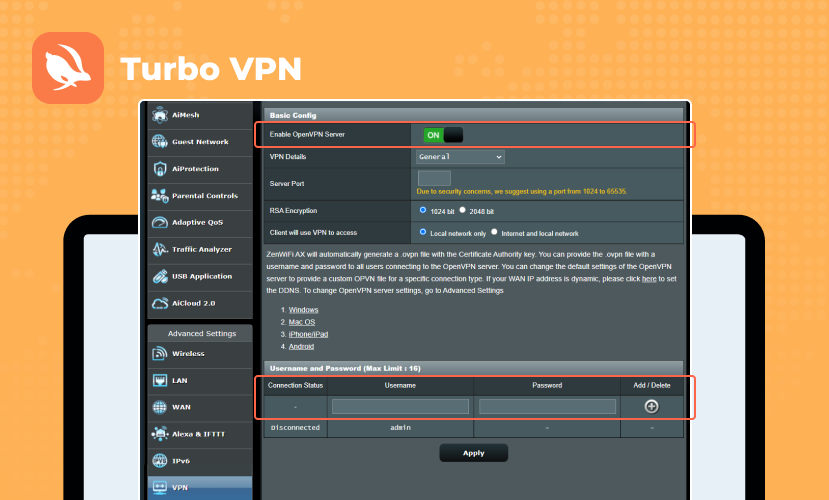
Follow the provider's instructions to set up the VPN connection on your router. This typically involves logging into your router's web-based utility, navigating to the VPN settings, and entering the provider's configuration information.
Step 4: Configure Network Settings
Set up your network settings, including the Wi-Fi network name (SSID), password, and network protocol. Ensure that all devices connected to your network are configured to use the VPN.
Step 5: Secure Your VPN Connection
Secure your VPN connection by setting up a strong password, enabling encryption, and configuring firewall rules to block unauthorized access.
Popular Routers for VPN Security
- Linksys Wireless-G VPN Broadband Router: A popular choice for VPN-enabled routers, offering robust security features and easy setup.
- TP-Link ER605 V2 Wired Gigabit VPN Router: A high-performance router with advanced VPN capabilities, including load balancing and SPI firewall.
- GL.iNet Routers: A range of routers offering built-in VPN support, including OpenVPN and WireGuard, making it easy to set up and configure a VPN on your router.
Conclusion
Configuring your router for VPN security is a simple and effective way to protect your entire home network from cyber threats. By following the steps outlined in this article, you can ensure that all devices connected to your network are automatically encrypted, providing a robust layer of security against potential hackers and cyber threats.
Remember to always check your router's compatibility and follow the provider's instructions for setting up the VPN connection. With a little effort, you can enjoy whole-network protection and peace of mind knowing that your online activities are secure and private.


![How to set up a VPN router [+Video] - NordVPN](https://www.vpnranks.com/wp-content/uploads/2019/05/How-to-Setup-VPN-on-Router-768x768.jpg "How to set up a VPN router [+Video] - NordVPN")





![Install Tailscale VPN on Rocky Linux / AlmaLinux [Guide]](https://static.tp-link.com/upload/image-line/ER707-M2_03_normal_20230321012734g.jpg "Install Tailscale VPN on Rocky Linux / AlmaLinux [Guide]")