Router Setup for Multi-Device Network: A Comprehensive Guide
Are you tired of dealing with a slow and unreliable network in your home or office? A multi-device network is a great way to improve internet access in larger spaces, connecting multiple Wi-Fi enabled devices effortlessly. In this article, we'll show you how to set up a multi-router network and highlight the best options for a reliable Wi-Fi connection.
Understanding Router Configuration Options
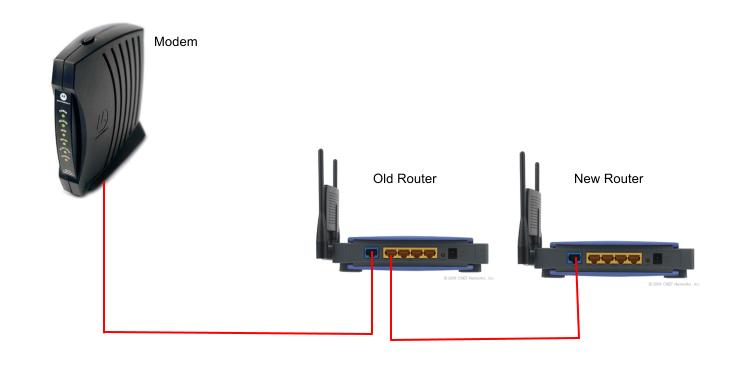
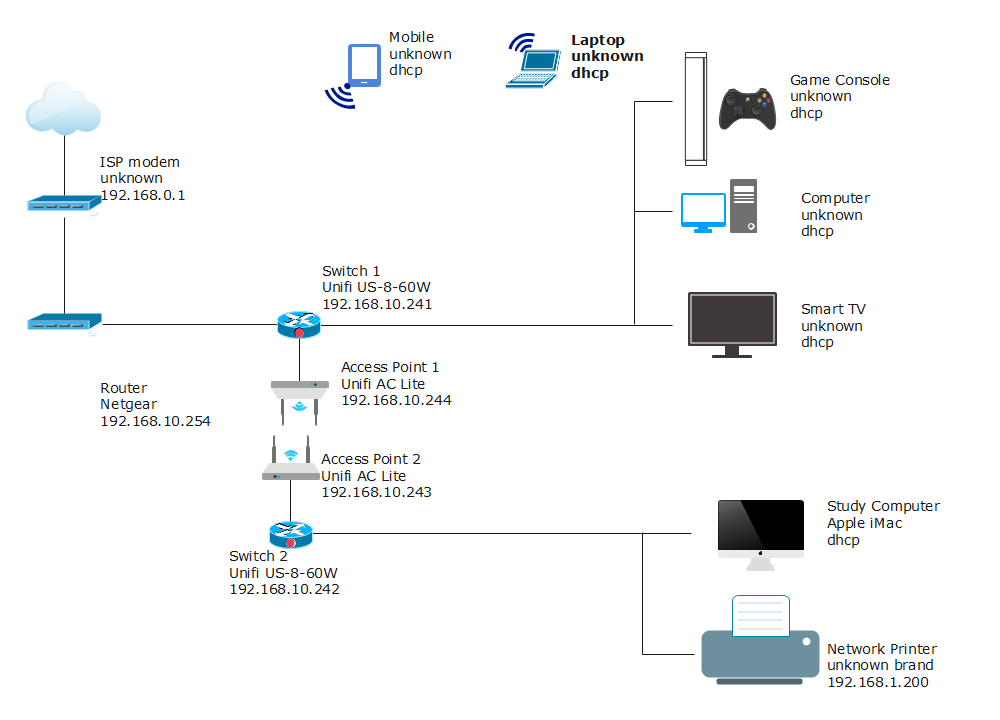
Before we dive into the setup process, it's essential to understand the different configuration options available for multi-router networks. There are two primary ways to configure rounters: using a primary router and connecting additional routers as access points, or creating a mesh system using multiple routers.
Using one primary router and connecting additional routers as access points is a straightforward approach. This setup is suitable for small to medium-sized networks. On the other hand, creating a mesh system using multiple routers is ideal for larger networks, providing a more robust and reliable connection.
Choosing the Right Router for Your Multi-Device Network
When selecting a router for your multi-device network, consider the following factors:
- Range and coverage: Ensure the router provides a strong wireless signal that covers your entire network.
- Multi-gigabit internet connection: If you have a high-speed internet plan, choose a router that can handle it.
- Device management: Consider a router with a user-friendly interface and features like Quality of Service (QoS) to prioritize devices on your network.
- Mesh technology: Choose a router that supports mesh technology for a seamless network experience.
Best Wi-Fi Routers for Multi-Device Networks
Here are some of the top Wi-Fi routers for multi-device networks:
- Netgear Orbi AX6000: This tri-band mesh system supports up to 7,500 sq. ft. of coverage and is ideal for large homes or offices.
- eero Max 7: A tri-band mesh system with 2.4GHz, 5GHz, and 6GHz bands that delivers ballistic speeds and is perfect for heavy users.
- TP-Link Neo 8: A budget-friendly option that provides reliable Wi-Fi coverage and is easy to set up.
Setting Up Your Multi-Router Network
Now that you have your router, follow these steps to set up your multi-device network:
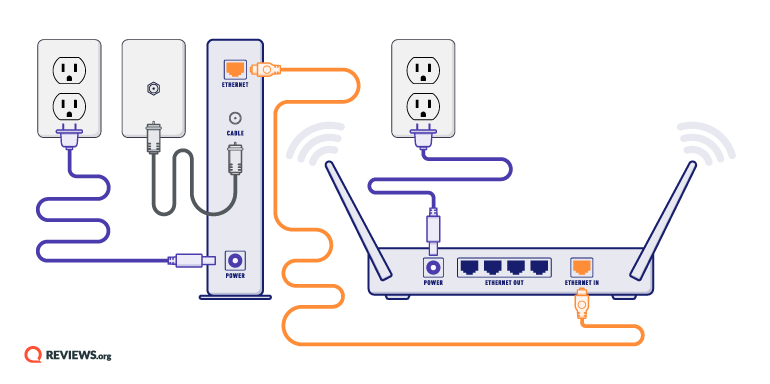
1. Connect your primary router to the modem via an Ethernet cable.
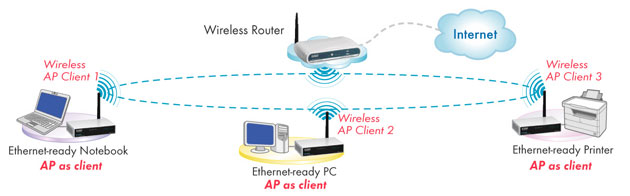
2. Set up the additional routers as access points or create a mesh system using multiple routers.
3. Connect your devices to the network using Wi-Fi or Ethernet cables.
4. Configure QoS and other advanced features to prioritize devices on your network.
Common Issues with Multi-Device Networks
While setting up and maintaining a multi-device network can be straightforward, there are some common issues to watch out for:
- Network congestion: Too many devices connected to the network can cause congestion and slow speeds.
- Device interference: Other devices in the vicinity can interfere with your Wi-Fi signal, causing dropped connections or slow speeds.
Conclusion
Setting up a multi-router network can improve internet access in your home or office, connecting multiple devices with ease. By understanding your configuration options, choosing the right router, and following the setup steps, you'll have a smooth, reliable, and high-speed network that meets your needs.
Remember to optimize your network for performance and troubleshoot any common issues that may arise.
A multi-device network is a game-changer for homes and offices with multiple devices, ensuring seamless connectivity and high-speed internet access for all.