Correct Posture for Office Work: A Comprehensive Guide
Why Posture Matters More Than You Think
Sitting for 8-9 hours a day at the office can be a recipe for low back pain, neck strain, and discomfort. However, with proper posture, you can do your work pain-free and promote overall health. In this article, we will provide you with a comprehensive guide on correct posture for office work, including practical tips, ergonomic hacks, and essential stretches to undo desk damage.
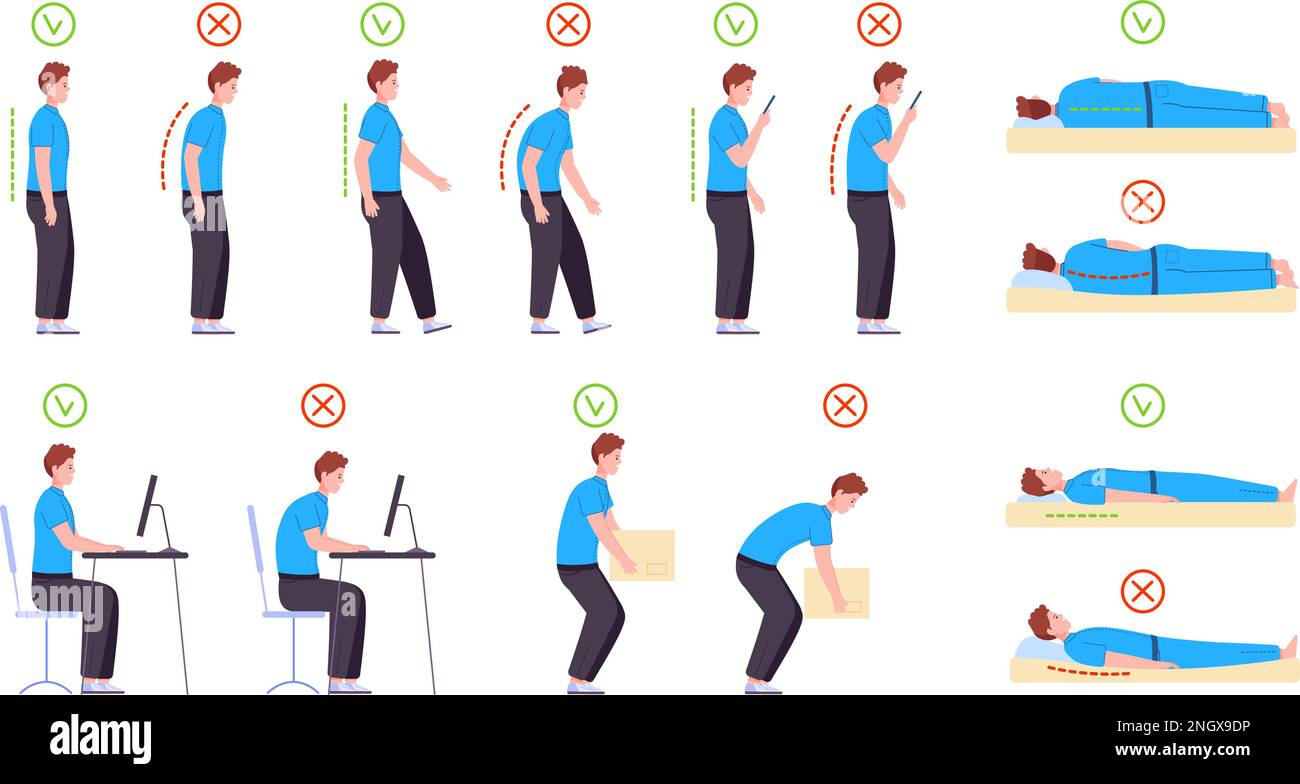
Step-by-Step Breakdown of the Perfect Sitting Posture
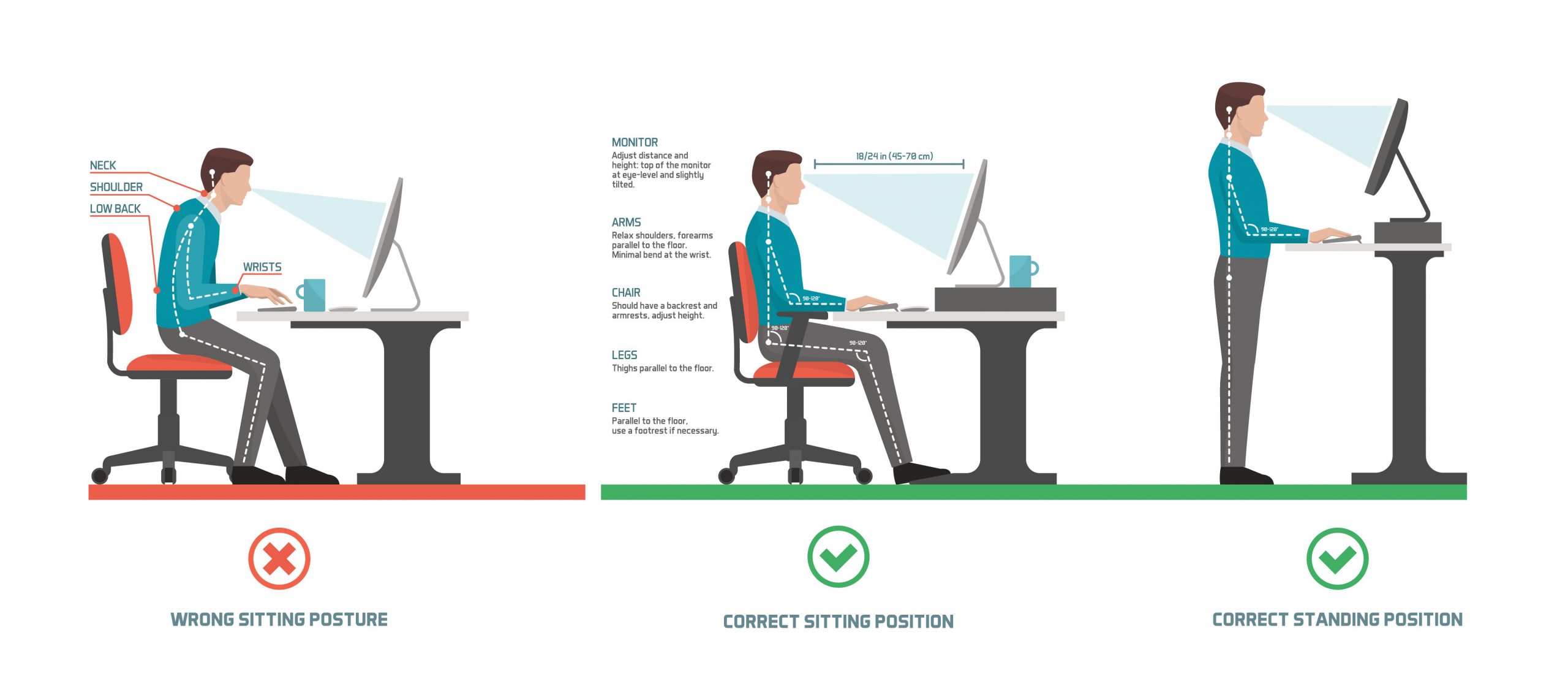
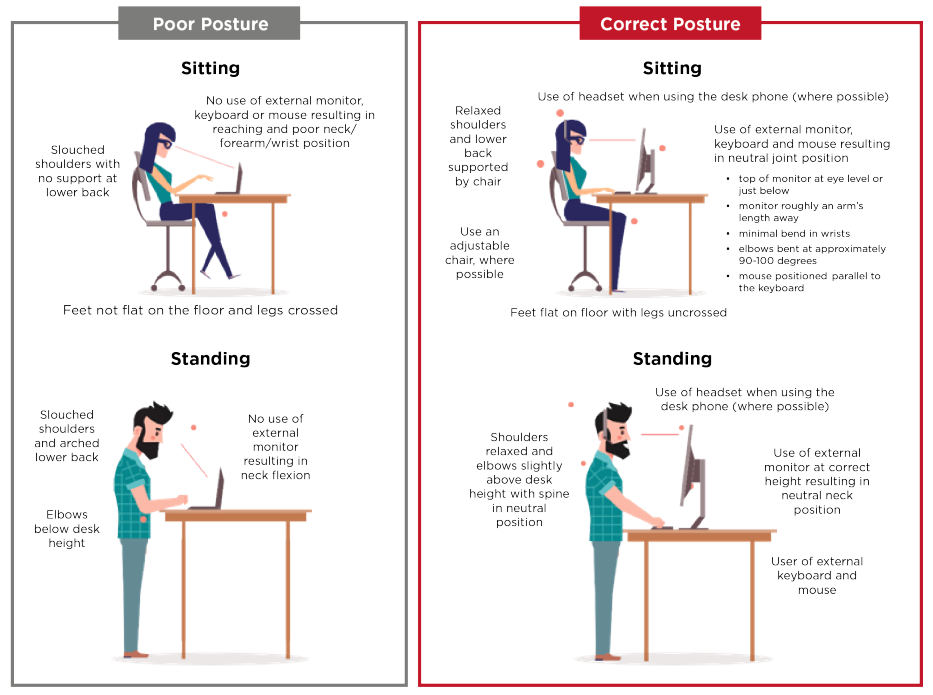
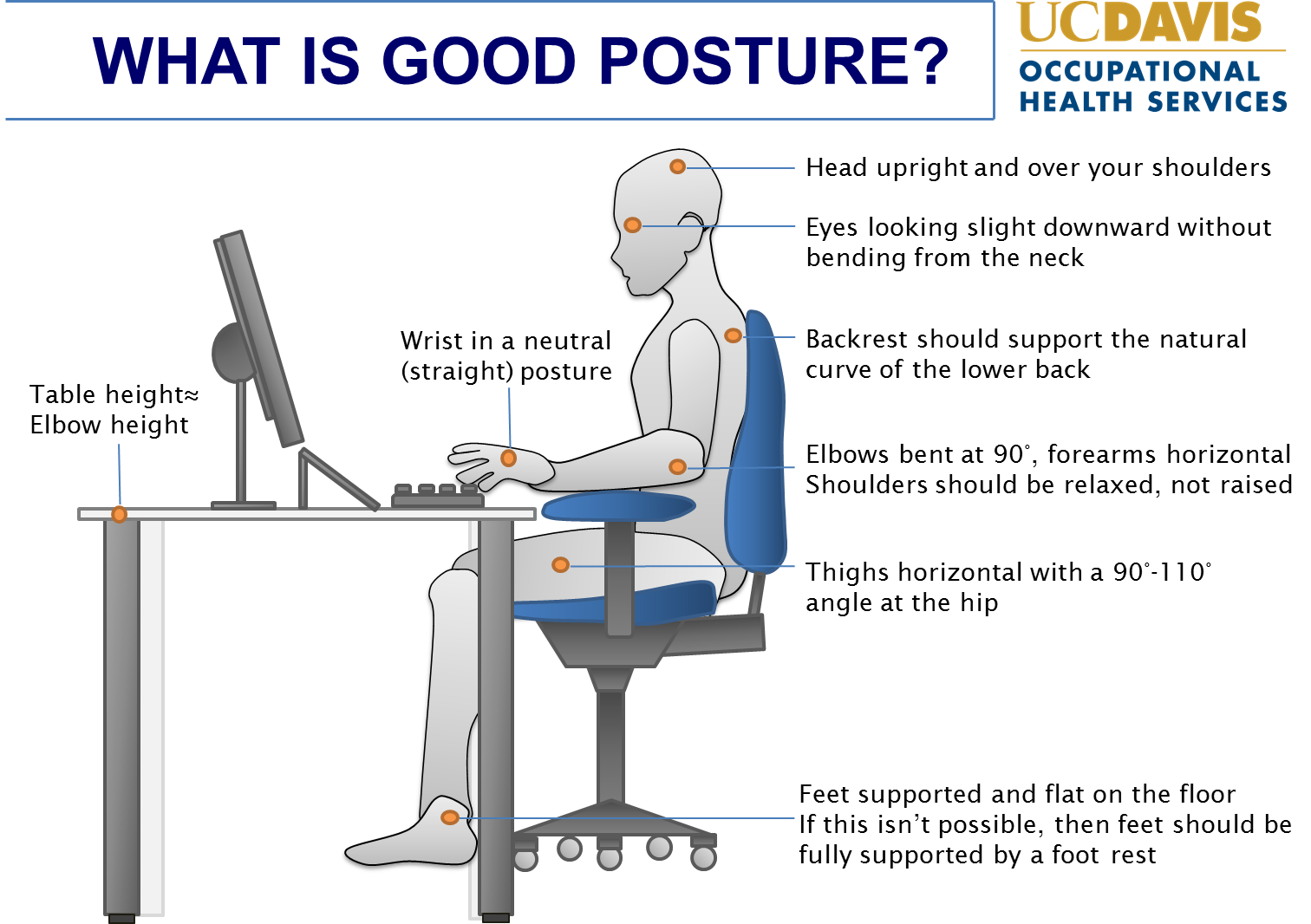
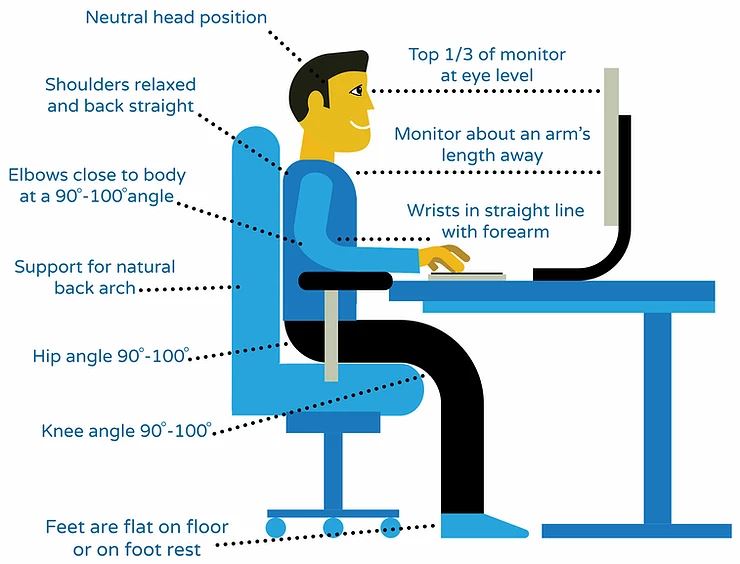
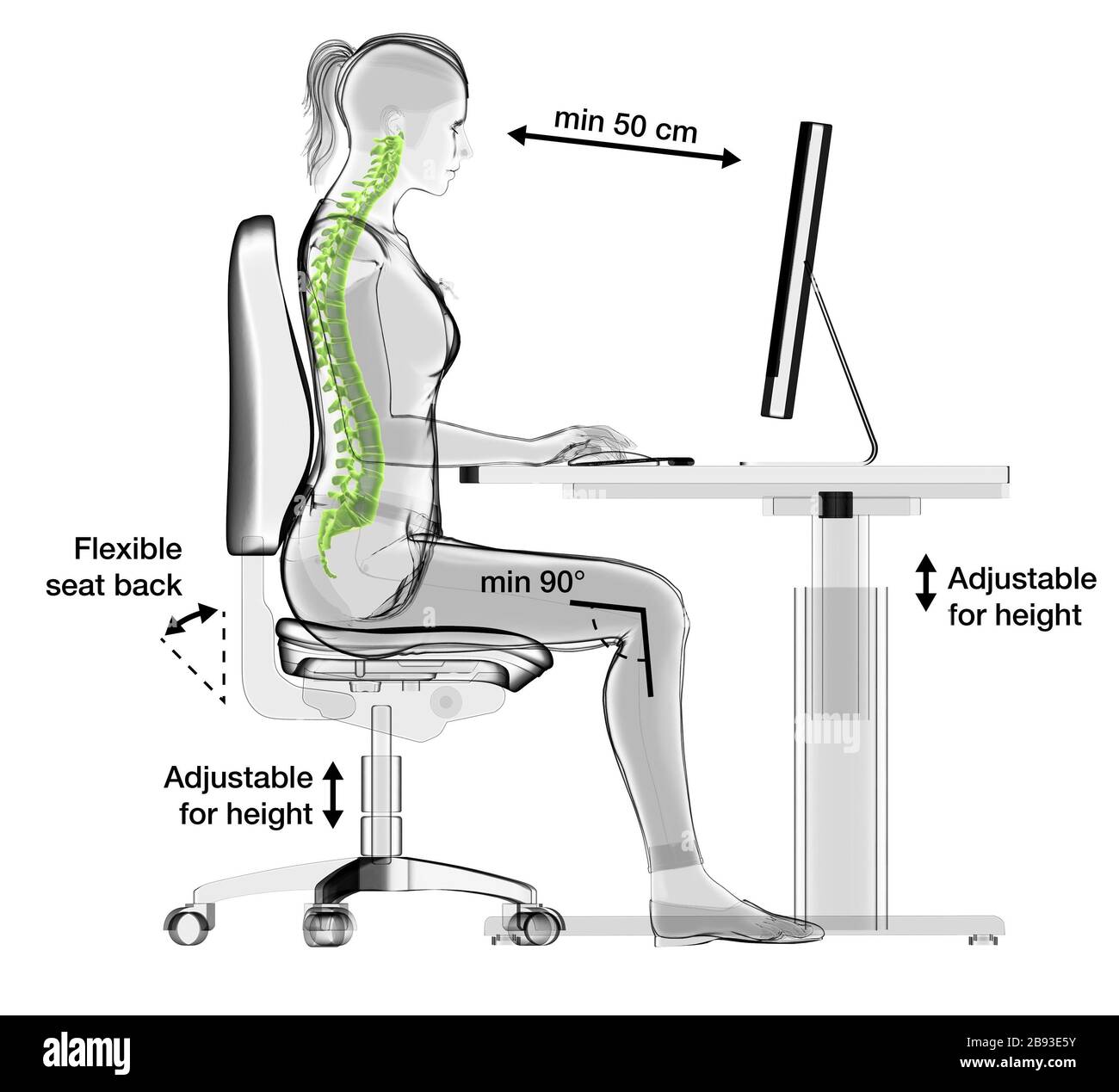
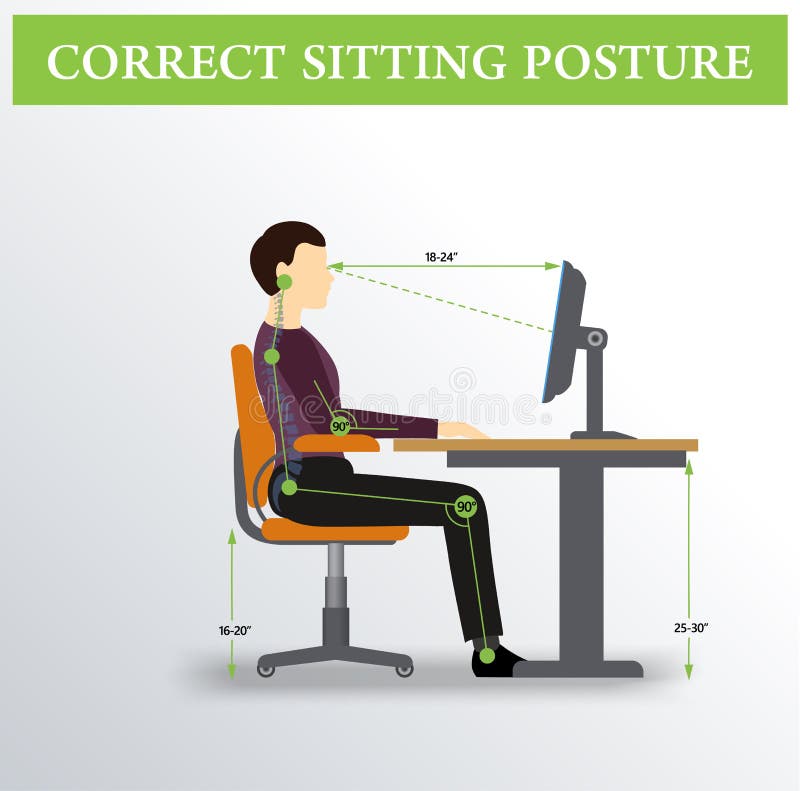
Proper sitting posture is essential to prevent potential strain on your back and shoulders. Here's a step-by-step guide to achieve the perfect sitting posture:
- Feet flat on the floor or on a footrest, with knees at or below hip level.
- Chair height adjusted so that your elbows are at a 90-degree angle and your wrists are straight.
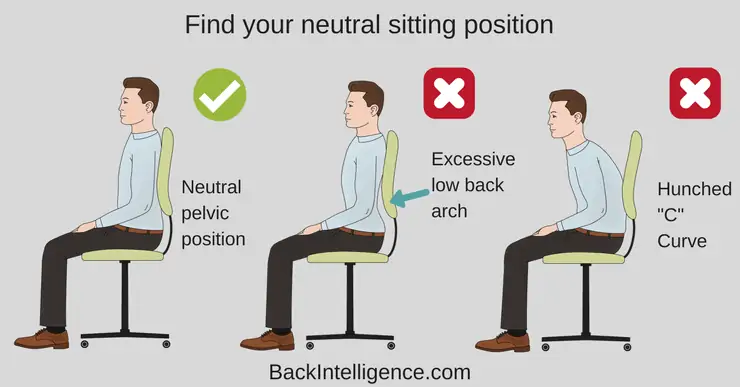
- Back straight and shoulders relaxed, with a slight arch in the lower back.
- Head level, with ears in line with shoulders.
- Monitor positioned directly in front of you, at a distance of about 20-25 inches, and at a height that allows you to gaze slightly downward.
Most Common Posture Mistakes (and How to Fix Them)
Even with the perfect sitting posture, many of us still make common posture mistakes that can lead to discomfort and health problems. Here are some of the most common mistakes and how to fix them:
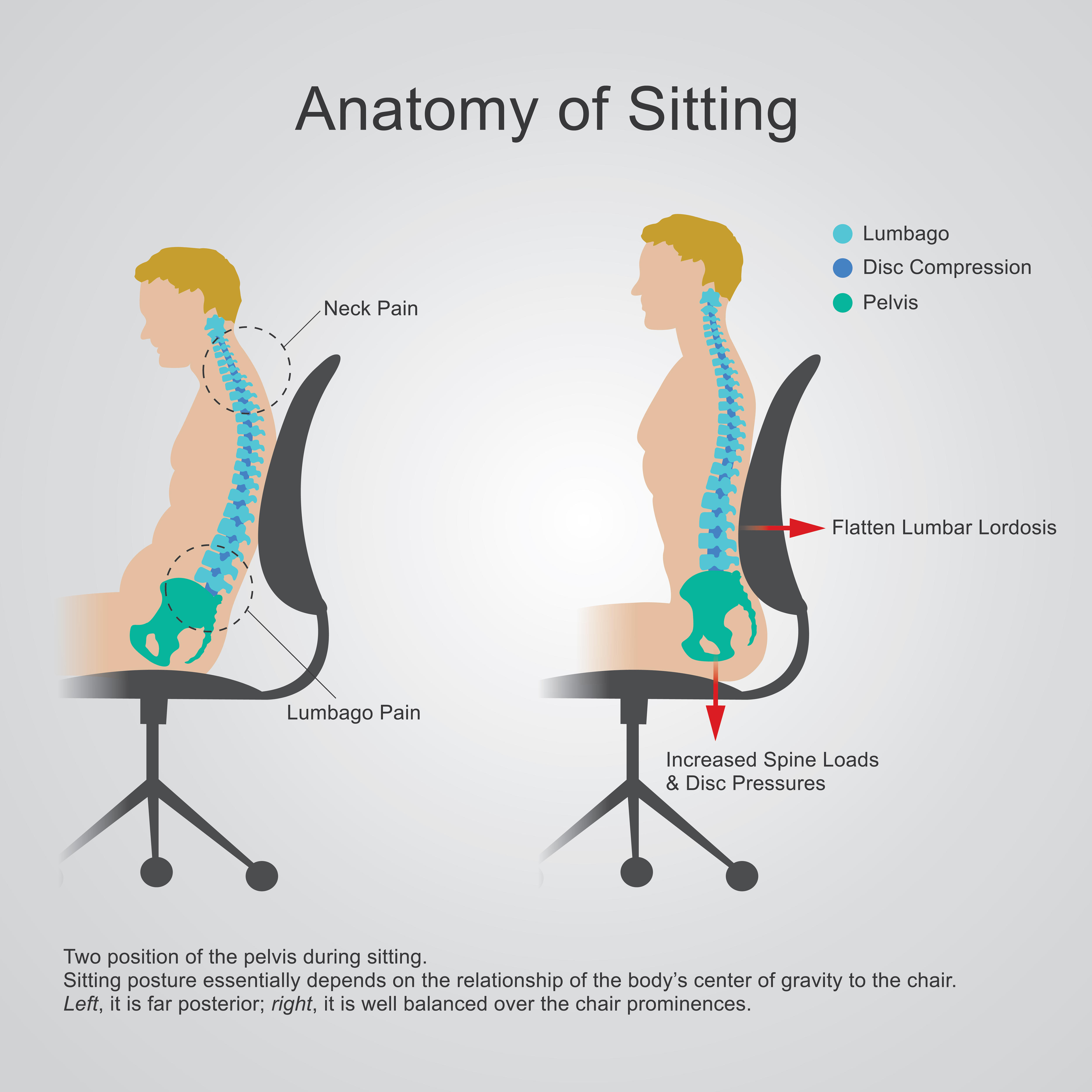
- Slouching: Slouching can lead to back pain and poor breathing. To fix this, try using a lumbar support or adjusting your chair height to promote better posture.
- Crossing your legs: Crossing your legs can lead to poor circulation and discomfort. To fix this, try to keep your legs straight or use a footrest to keep your feet at a 90-degree angle.
- Looking down at your phone or computer: Looking down at your phone or computer can lead to neck strain. To fix this, try using a monitor stand or adjusting your chair height to keep your eyes at a comfortable level.
Ergonomic Hacks for a Pain-Free Work Setup
Proper ergonomics is essential to maintain correct posture for office work. Here are some ergonomic hacks to create a pain-free work setup:
- Invest in an ergonomic chair: Look for a chair with adjustable height, lumbar support, and armrests.
- Position your monitor correctly: Place your monitor directly in front of you, at a distance of about 20-25 inches, and at a height that allows you to gaze slightly downward.
- Use a keyboard tray: A keyboard tray can help keep your wrists straight and reduce strain on your hands and wrists.
- Take breaks to stretch: Take regular breaks to stretch and move around, especially if you have a desk job.
Essential Stretches to Undo Desk Damage
Along with maintaining proper posture, incorporating essential stretches into your daily routine can help undo desk damage and prevent discomfort. Here are some effective stretches:
- Neck stretch: Slowly tilt your head to the side, bringing your ear towards your shoulder. Hold for 30 seconds and repeat on the other side.
- Shoulder rolls: Roll your shoulders forward and backward in a circular motion. Repeat for 10-15 repetitions.
- Wrist stretch: Hold your arm straight out in front of you and use your other hand to gently pull your hand back and up. Hold for 30 seconds and repeat on the other side.
Standing Desks: Are They Worth It?
Standing desks have become increasingly popular in recent years, but are they worth the investment? While they may provide some benefits, such as increased energy and improved posture, they may not be suitable for everyone.
Standards desks are designed to promote proper posture and reduce the risk of chronic diseases such as heart disease and diabetes. By standing and moving around, you can reduce the time spent sitting and promote overall health. However, it's essential to take regular breaks to stretch and move around, even with a standing desk.