How to Secure a G Network from Hackers
Protecting your network from hackers is a crucial task in today's digital age. With the increasing number of cyber threats, it's essential to implement robust security measures to safeguard your network and prevent unauthorized access. A secure network is the backbone of any organization, and it's the responsibility of the network administrator to ensure the security of the network.
Understanding the Hacker's Mindset
Hackers are intelligent and resourceful individuals who are always on the lookout for vulnerabilities in a network. They use automated tools to scan neighborhoods for vulnerable routers, and once inside a network, they can read unencrypted traffic between devices and the internet. It's essential to understand the hacker's mindset and tailor your security measures accordingly.
Implementing Basic Security Measures
- Change Default Router Passwords: Administering default passwords can create an easy entry point for hackers, so it's essential to change default router passwords to something unique and complex.
- Enable WPA3 Wi-Fi: WPA3 Wi-Fi is the most secure encryption protocol available, offering protection against various types of attacks.
- Update Firmware Regularly: Firmware updates should be installed regularly to patch security holes and fix vulnerabilities.
Advanced Security Measures

- Use Guest Networks: Guest networks isolate visitors from your main network, reducing the risk of an attack escalating to your more sensitive data.
- Disable UPnP/WPS: Turning off UPnP and WPS on your router will make it more difficult for attackers to gain access to your network.
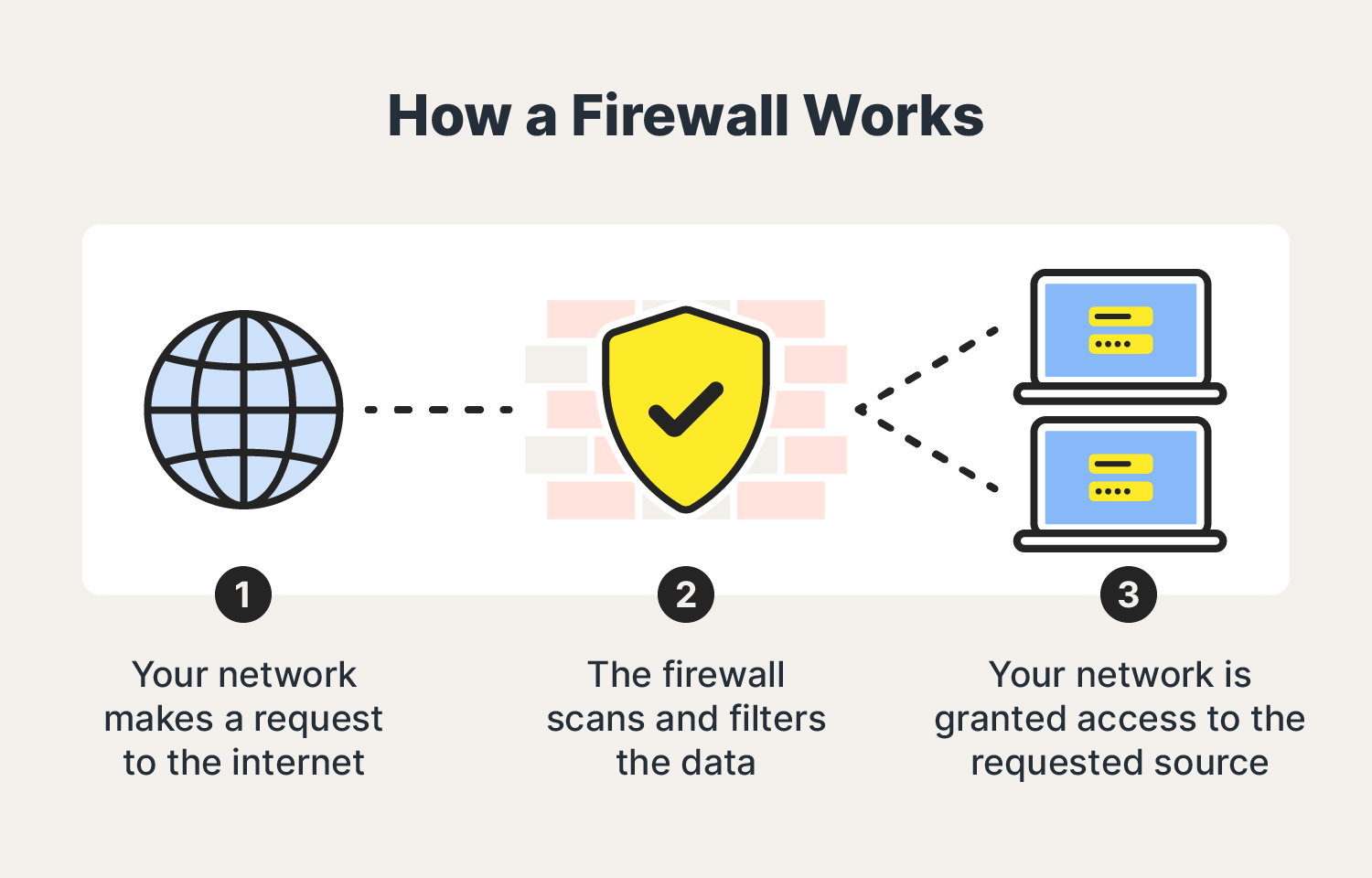
- Enable Firewall: A firewall serves as a barrier between your network and the internet, monitoring incoming and outgoing traffic to prevent malicious activity.
- Use VPN: A Virtual Private Network encrypts your internet connection, obscuring your location and IP address, making it difficult for hackers to intercept your data.
- Segregate IoT Devices: IoT devices should be isolated from your primary network to prevent any potential attacks from spreading.
Best Practices for Network Security
- Regularly Monitor Traffic: Keep a close eye on your network traffic to detect any suspicious activity.
- Run Regular Scans: Perform regular scans to identify and fix vulnerabilities before a hacker can exploit them.
Conclusion
Protecting your network from hackers is an ongoing process requiring vigilance, proactive measures, and a commitment to best practices in cybersecurity. By implementing these strategies, you can significantly enhance the security of your network and safeguard your digital assets against the evolving threats of the cyber world.