Setting Up a Wireless Home Network: A Comprehensive Guide
Establishing a strong and reliable wireless network at home is crucial for seamless connectivity and convenience. In this article, we will provide a step-by-step guide on how to set up a wireless network at home, covering the essential components, security measures, and tips for a smooth setup process.
Understanding the Fundamentals
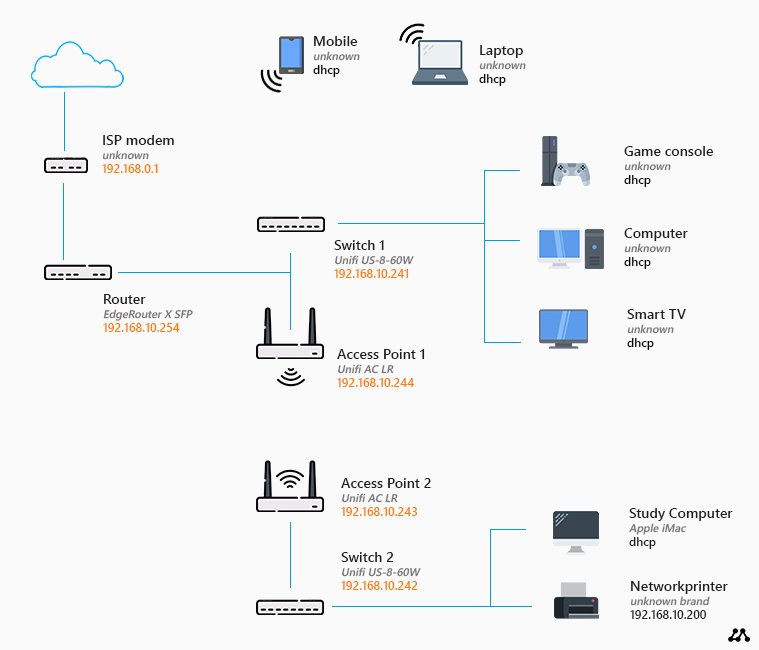
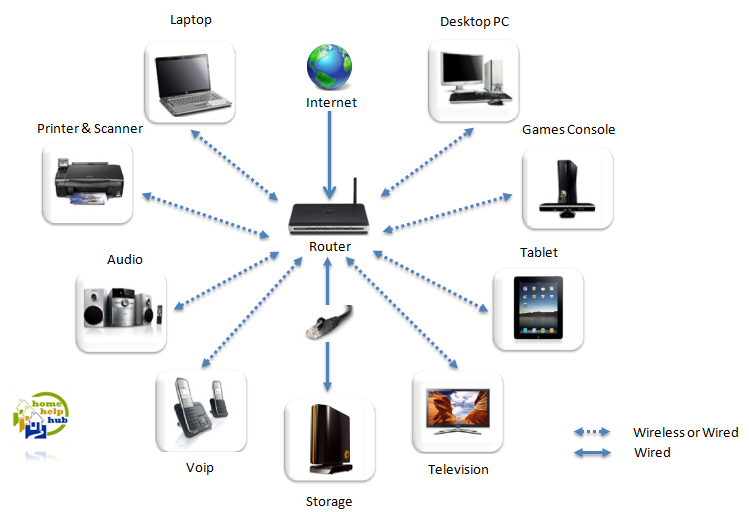
Before setting up a wireless network, it's essential to understand the key components involved. The primary devices required are:
- Modem: This device connects your home to the internet service provider.
- Wireless Router: This device manages the wireless network and broadcast the internet connection to devices.
- Devices: Laptops, smartphones, tablets, smart TVs, and other devices that need to connect to the network.
Setting Up the Network
Setting up a wireless network involves several steps:
- Step 1: Connect the Modem - Connect the modem to the power source and attach it to the wall outlet. Follow the manufacturer's instructions to configure the modem settings.
- Step 2: Configure the Router - Connect the router to the modem using an Ethernet cable. Log in to the router using the default IP address (usually printed on the underside of the router) using a web browser. Change the admin password, SSID (network name), and security settings as preferred.
- Step 3: Secure the Network - Set up WPA2 encryption and change the default network password to a strong and unique one.
- Step 4: Connect Devices - Connect your devices (laptops, smartphones, smart TVs, etc.) to the network by searching for the wireless network name (SSID) and entering the password.
Tips for a Secure Wireless Network
Protecting your wireless network from unauthorized access is crucial. Here are some tips:
- Use WPA2 encryption
- Change the default network password
- Position the router in a central location
- Limit the number of users and devices connected to the network
- Regularly update router firmware and security software
Wireless Range Extender: Enhance Network Coverage
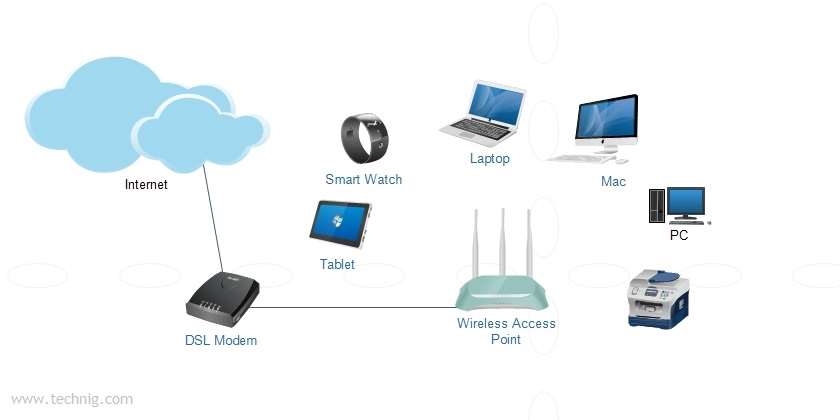
For a large home or multiple story homes, a wireless range extender can be an excellent solution to boost the network coverage. A range extender connects to your router wirelessly and rebroadcasts the signal to reach hard-to-reach areas.
Setting Up Devices
Follow these steps to connect devices to the wireless network:
- Smartphones and laptops: Search for the wireless network name (SSID) and enter the password.
- Smart TVs and gaming consoles: Connect to the network using the on-screen menu.
- Printers and scanners: Follow the manufacturer's instructions for wireless setup.
Conclusion
Setting up a wireless home network requires careful planning and execution. By following the steps outlined in this article, you can create a secure and reliable wireless network that supports all your devices. Remember to secure your network regularly and keep it updated to prevent unauthorized access and ensure optimal performance.
Additional Resources
For more information on setting up a wireless home network, consult the following resources:
CNET - Tips on setting up and securing a wireless home network
Tom's Hardware - Learn about wireless network optimization and security best practices
Best Buy - Get help with home Wi-Fi setup, upgrades, and wireless security