Create Home Network with Router: A Comprehensive Guide
Setting up a home network with a router is a crucial step in ensuring a smooth online experience for all your devices. With the increasing number of devices connected to the internet, a reliable home network is more important than ever. In this guide, we will walk you through the steps to create a home network with a router, including the advantages and disadvantages of wired and wireless networks.
Advantages of Wired and Wireless Networks
Wired networks use Ethernet cables to connect devices to the router, providing a stable and fast connection. However, they can be less convenient than wireless networks, as they require physical cables to be run throughout the house. Wireless networks, on the other hand, use Wi-Fi to connect devices to the router, providing greater flexibility and convenience. However, they can be less secure and may be affected by interference from other devices.
Steps to Create Home Network with Router
To create a home network with a router, follow these steps:
- Step 1: Plan Your Network - Determine the number of devices that will be connected to the network and the type of devices (e.g., computers, smartphones, smart home devices).
- Step 2: Choose a Router - Select a router that meets your needs, considering factors such as speed, range, and security features.
- Step 3: Set Up Your Router - Follow the manufacturer's instructions to set up the router, including configuring the network name (SSID) and password.
- Step 4: Connect Your Devices - Connect your devices to the router using Ethernet cables or Wi-Fi.
- Step 5: Secure Your Network - Enable security features such as WPA2 encryption and firewalls to protect your network from unauthorized access.
Router Settings
When setting up your router, you will need to create a new network name (SSID) and a secure password. This step enhances overall network security and makes using your home network more convenient. You can also set up a guest Wi-Fi network for visitors, which can be useful if you frequently have guests and want to provide them with internet access.
Managing Your Network
Once you have set up your network, you can manage it using the router's web interface or a mobile app. You can check the network's status, update the firmware, and configure advanced settings such as Quality of Service (QoS) and parental controls.

Choosing the Right Router
When choosing a router, consider factors such as speed, range, and security features. Some popular router options include the TP-Link Archer BE900, eero Max 7, and Linksys Wireless ACRouter.
Conclusion
Creating a home network with a router is a straightforward process that can be completed in a few steps. By following the steps outlined in this guide, you can set up a reliable and secure home network that meets your needs. Remember to choose a router that meets your needs, secure your network, and manage your network effectively to ensure a smooth online experience for all your devices.
Recommended Routers
Here are some recommended routers for creating a home network:
- TP-Link Archer BE900
- eero Max 7
- Linksys Wireless ACRouter
- Google Nest Wi Fi Pro
- NETGEAR AC750 WiFi Router
Final Thoughts
Creating a home network with a router is an essential step in ensuring a smooth online experience for all your devices. By following the steps outlined in this guide, you can set up a reliable and secure home network that meets your needs. Remember to choose a router that meets your needs, secure your network, and manage your network effectively to ensure a seamless online experience.

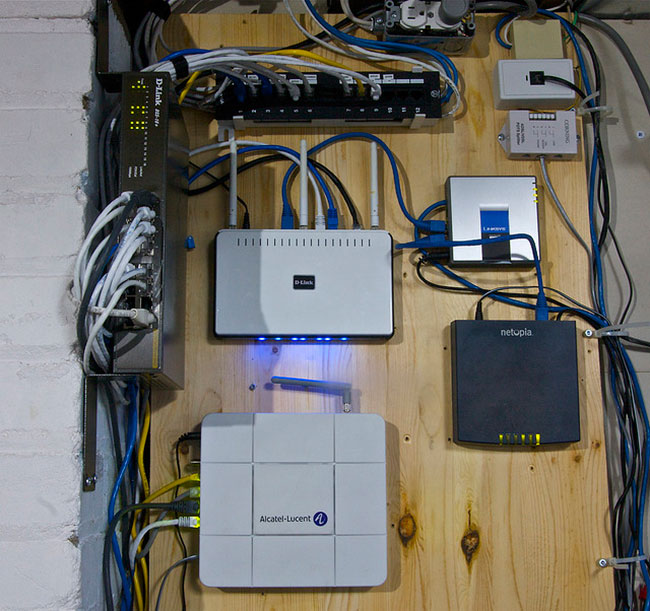






![Setting Up a Home Network for Beginners [Huge Guide]](https://i.stack.imgur.com/LQvRr.png "Setting Up a Home Network for Beginners [Huge Guide]")
/wireless-router-57ee8cea5f9b586c353f3e9f.jpg "Don't Let Hackers Access Your Home Wi-Fi Network. Here's How to Lock It ...")